
How to Use Your Membership
Your membership includes a Member ID that you use to book your visits. It can be found in your membership confirmation email or by emailing membership-az@wonderspaces.com from your membership email and providing your name. Please note that every membership must be tied to a unique person and email address.
To book your tickets:
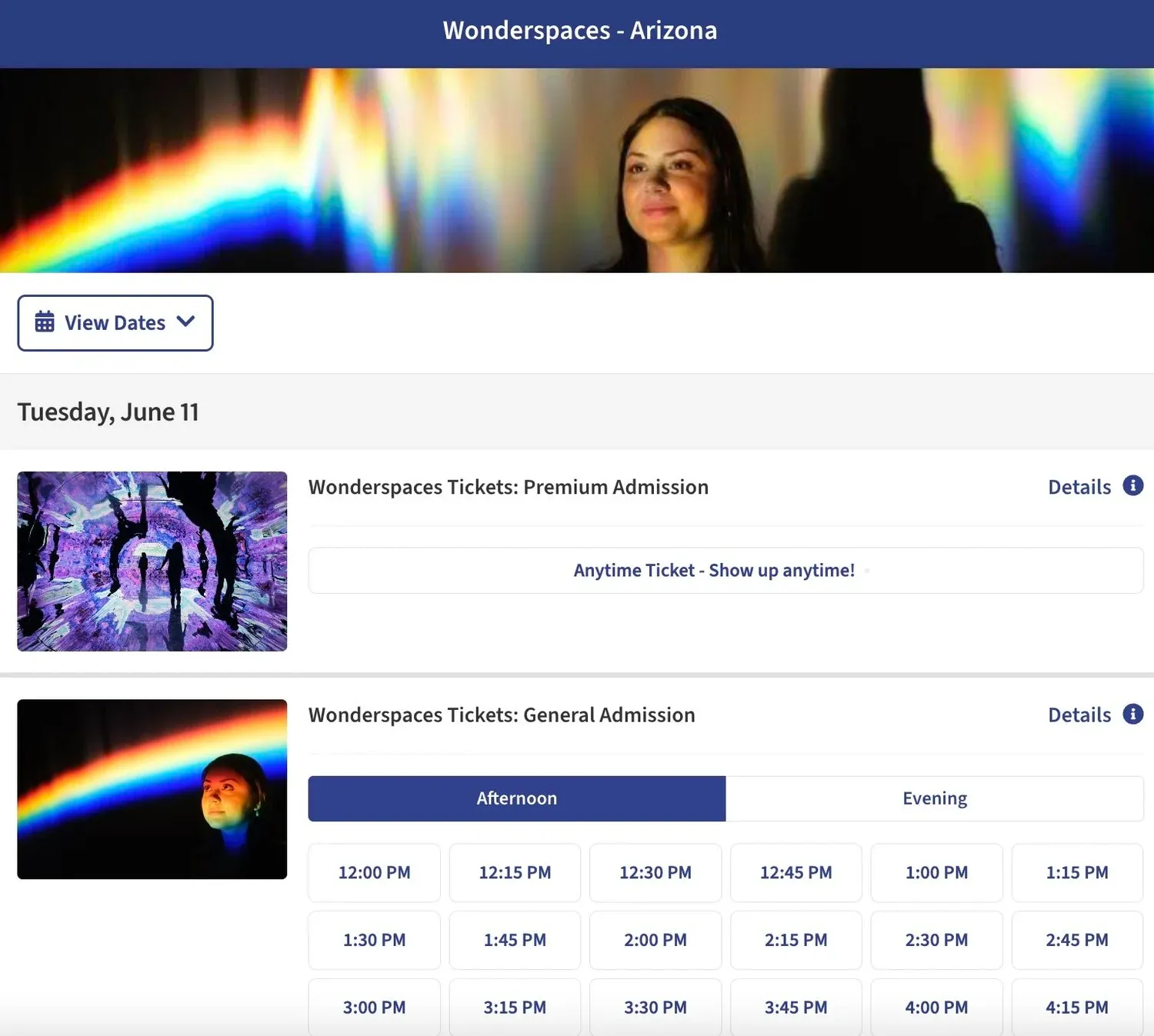
- Visit the tickets page and select the date and time for your visit.
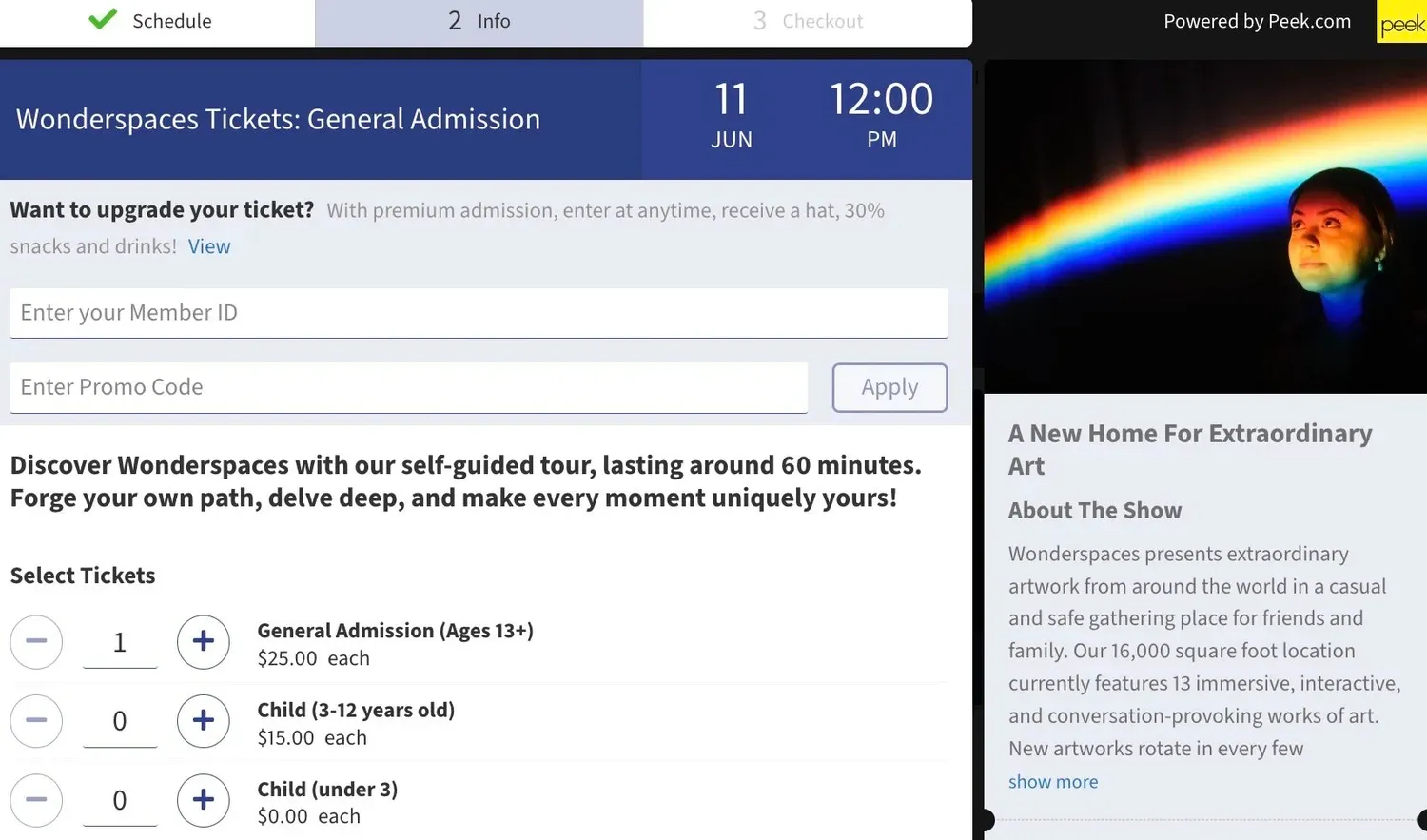
- Once you select your time slot, you will see a text box at the top of the page to “Enter Your Member ID.”
- Enter your Member ID to unlock the complimentary member visits and discounts for accompanying guests.
- Select the type and quantity of tickets you would like to book — your membership benefits will be automatically applied at checkout.
If you have any questions about your membership, please email membership-az@wonderspaces.com from your unique member email. Full program terms are in the Membership Agreement Terms and Conditions.